Finally got a homelab!
I finally joined the cool kids club and built a homelab.
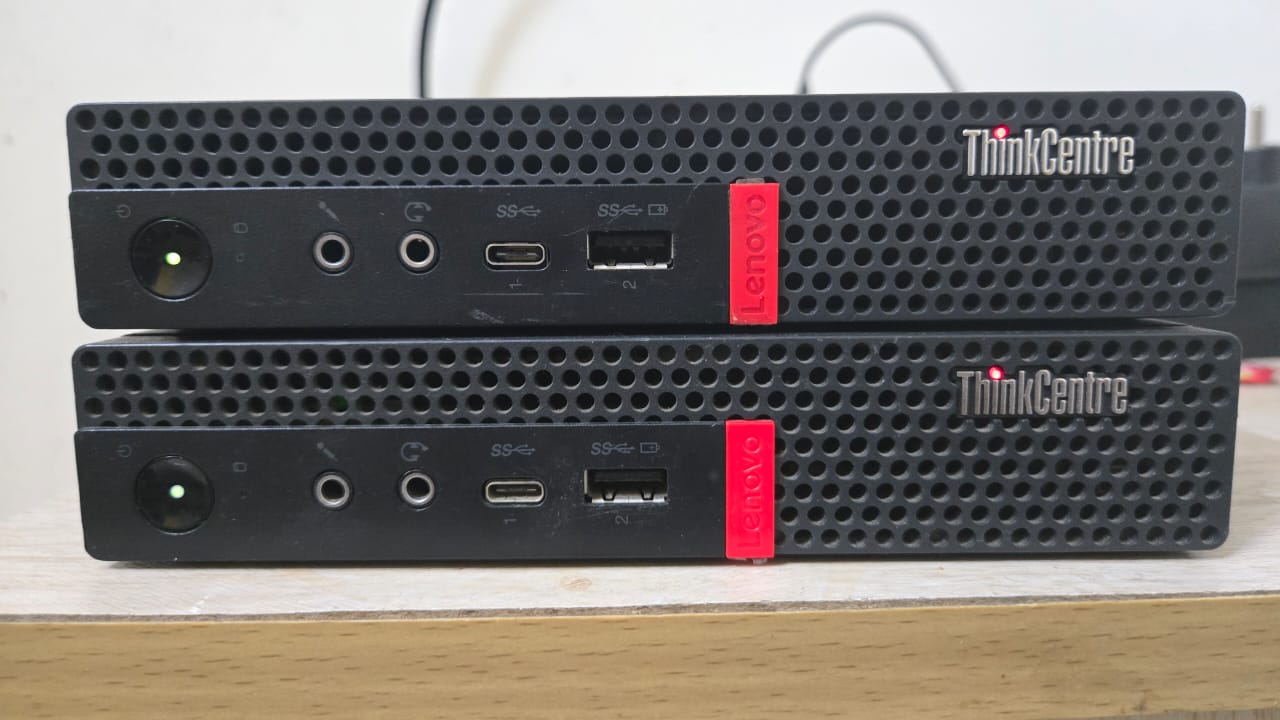
Got two Lenovo ThinkCentre M920q nodes with an 8th gen i3 and 16 gigs of RAM, because budget limits are real and my wallet cried enough.
I have already used kubeadm, so I wanted to try k3s this time. It is super lightweight and can easily create HA clusters with multiple control plane nodes since k3s calls them servers. The plan is to add another node later and use kube VIP for HA.
Sure, I could have just run everything on plain Docker, but where is the fun in that if you can go full Kubernetes in your living room?
I used Cilium CNI coz I had already used Flannel and wanted to try something new. Plus I keep hearing awesome things about Cilium advanced features like Hubble observability, the service mesh, and now that ingress nginx is heading toward deprecation I think it is the perfect time to embrace the Gateway API. Cilium already provides a Gateway API implementation along with an ingress controller so why not experiment and learn something cool.
I also wanted to use network storage so I went with Longhorn as the storage provisioner. I have used Rook Ceph earlier and really did not want to deal with raw devices no partitions or formatted filesystems or raw partitions again like Rook requires. Longhorn installation is straightforward and way easier for homelab use cases plus it supports RWX which I needed for Jellyfin media storage :)
My initial plan was to expose services in the cluster through a free cloud instance like Oracle Always Free using WireGuard and iptables. But then I tried Cloudflare Tunnels and instantly fell in love so that plan is on hold for now :)
K3s installation#
K3s is built for production workloads in resource constrained and remote environments, and even IoT appliances. It is packaged as one binary under 70 MB and includes everything like containerd and kubelet. Minimum hardware requirements are just two cores and two gigabytes of RAM. It even ships with a built in ServiceLB that allows you to use LoadBalancer services without a cloud provider by assigning ports directly on node IPs.
Install master node#
Install a K3s master node without the default CNI and network policies.
curl -sfL https://get.k3s.io | INSTALL_K3S_EXEC='--flannel-backend=none --disable-network-policy' sh -
Install agent nodes#
You can run K3s standalone or multi node. To join additional agent nodes, grab the token from/var/lib/rancher/k3s/server/node-token on the master and use:
curl -sfL https://get.k3s.io | K3S_URL='https://${MASTER_IP}:6443' K3S_TOKEN=${NODE_TOKEN} sh -
Installing Cilium#
Set kubeconfig:
export KUBECONFIG=/etc/rancher/k3s/k3s.yaml
Install the Cilium CLI:
CILIUM_CLI_VERSION=$(curl -s https://raw.githubusercontent.com/cilium/cilium-cli/main/stable.txt)
CLI_ARCH=amd64
if [ "$(uname -m)" = "aarch64" ]; then CLI_ARCH=arm64; fi
curl -L --fail --remote-name-all https://github.com/cilium/cilium-cli/releases/download/${CILIUM_CLI_VERSION}/cilium-linux-${CLI_ARCH}.tar.gz{,.sha256sum}
sha256sum --check cilium-linux-${CLI_ARCH}.tar.gz.sha256sum
sudo tar xzvfC cilium-linux-${CLI_ARCH}.tar.gz /usr/local/bin
rm cilium-linux-${CLI_ARCH}.tar.gz{,.sha256sum}
Install Cilium making sure the podCIDR matches K3s defaults:
cilium install --version 1.18.4 --set=ipam.operator.clusterPoolIPv4PodCIDRList="10.42.0.0/16"
Verify:
cilium status --wait
Longhorn#
K3s comes with Rancher Local Path Provisioner, but I needed network storage so pods could move around nodes freely. Longhorn was an easy choice and supports RWX out of the box.
Install it with:
kubectl apply -f https://raw.githubusercontent.com/longhorn/longhorn/v1.8.1/deploy/longhorn.yaml
It will deploy into the namespace longhorn-system.
Longhorn stores data in /var/lib/longhorn by default. Additional storage devices can be configured through the UI. It creates three replicas for each volume by default and you can tweak this in the longhorn StorageClass.
To access the UI, patch the frontend service to a NodePort:
kubectl -n longhorn-system patch svc longhorn-frontend -p '{"spec": {"type": "NodePort", "ports": [{"port": 80, "nodePort": 32080}]} }'
Visit:
http://<Node-IP>:32080
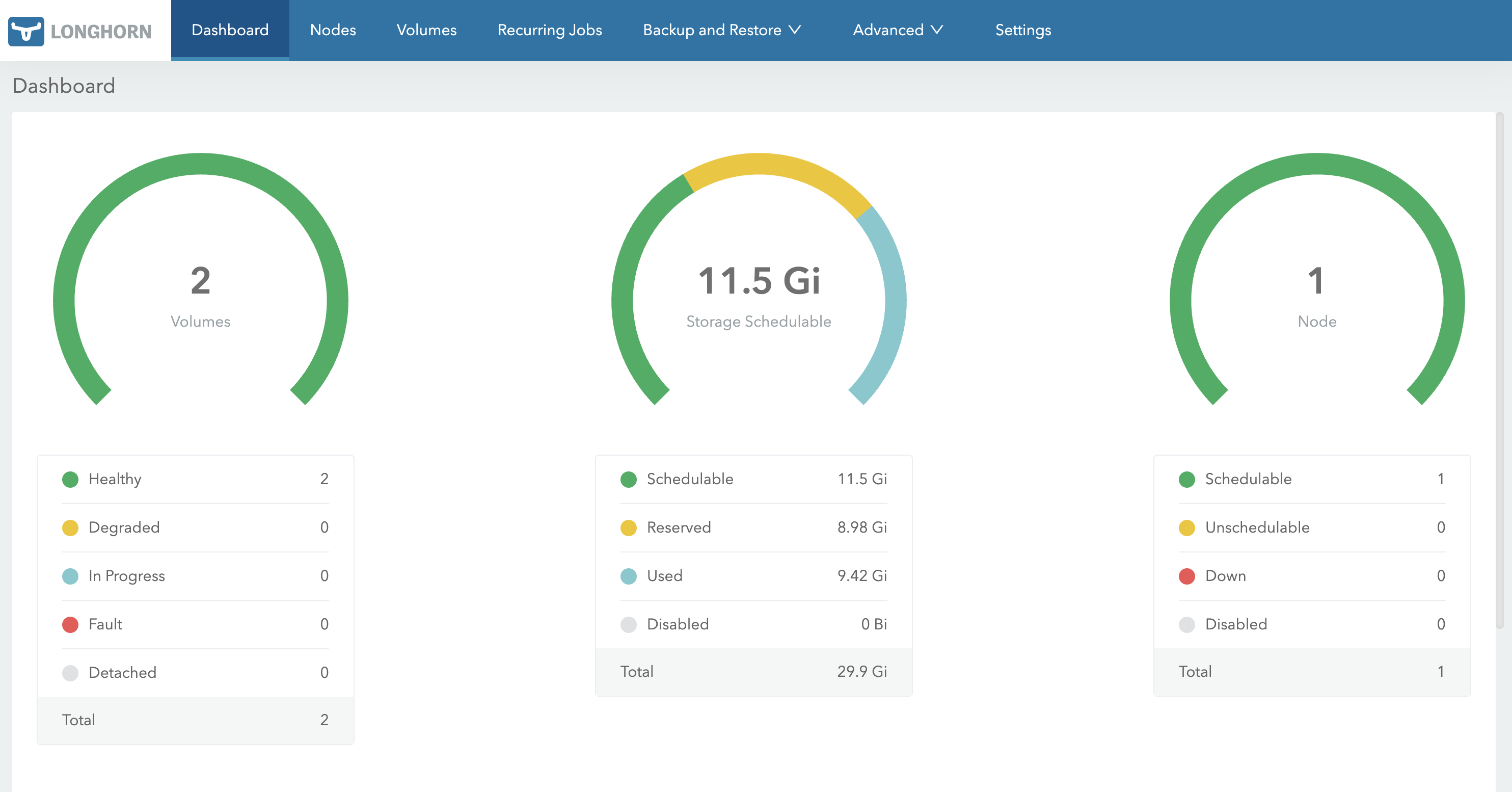
You can manage node disks and settings from the Nodes page.
Closing Thoughts#
So yeah, that is the current state of the homelab adventure.
Two tiny Lenovo boxes already running way more than they probably signed up for, Longhorn keeping the storage situation smooth, Jellyfin streaming happily, and Cloudflare Tunnels making external access ridiculously simple.
Future Plans#
- Add a new node to the cluster for proper HA
- Finish setting up kube VIP
- Expand the GitOps setup and improve automation
- Continue tuning Authentik for access control
- Polish the observability setup with kube prom stack
And of course, host way too many dashboards that I do not actually need but absolutely want
Homelabs are never really finished. There is always one more improvement to make and one more service to deploy.
Thanks for reading and see you in the next upgrade adventure :) where I explain the Cloudflare Tunnel experience and how I exposed apps securely from the cluster.